Scheduled analysis
Put recurring analysis
on autopilot.
Build reusable workflows. Schedule them to run daily, weekly, or monthly. Get fresh reports delivered by email or to Slack.
Set it once, get fresh reports forever
Create analysis workflows that run automatically, keeping you informed without lifting a finger.
Multi-step workflows
Chain analysis steps together. Each step builds on the last, creating comprehensive automated reports.
Flexible scheduling
Run daily, weekly, or monthly. Set it and forget it. Your reports will be ready when you need them.
Email delivery
Get reports delivered to your inbox when they complete. No need to check back manually.
Data connectors
Run tasks against any supported connector and always analyze fresh data.
Pre-built templates
Start with ready-made workflows for data preparation, exploration, and visualization.
Email and Slack delivery
Send each run where your team will read it.
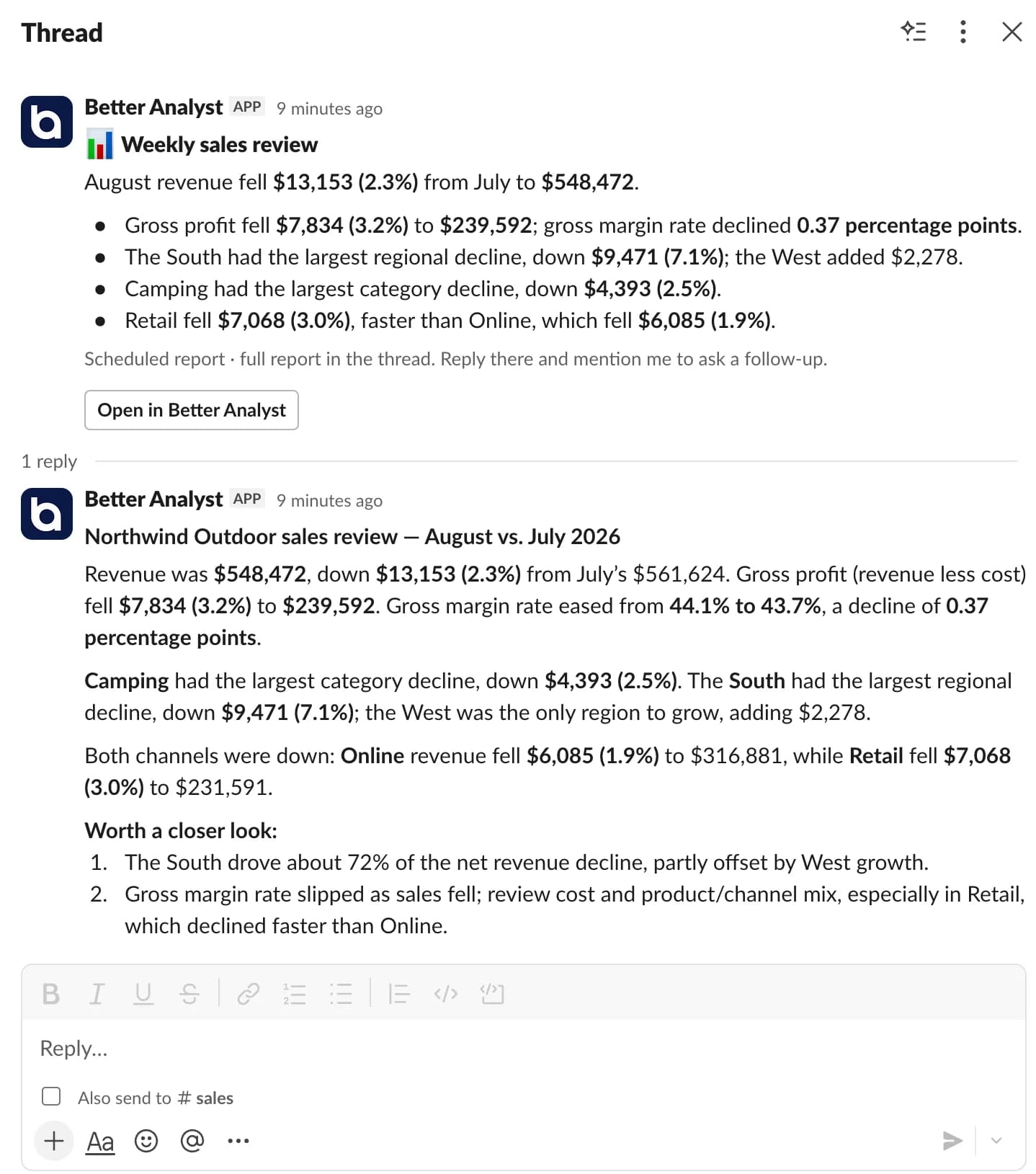
Deliver results by email, as Slack DMs, to a Slack channel, or any combination. Long reports post a short summary to the channel with the full report in the thread, and anyone can reply there to ask a follow-up.
Compare your options
Decide with evidence, not a sales pitch.
Open a neutral research prompt in the AI tool you already use. Compare capabilities, limitations, and fit before you choose.
- 01ChatGPTOpen a balanced comparison prompt in ChatGPT.
- 02ClaudeOpen the same research prompt in Claude.
- 03PerplexityResearch the comparison with linked web sources.
AI answers can be incomplete. Check source links, current pricing, and product documentation before deciding.
Set it once.
Get fresh reports forever.
No credit card required. Free forever plan included.