Better Analyst for SlackBeta
Chat with your data in Slack.
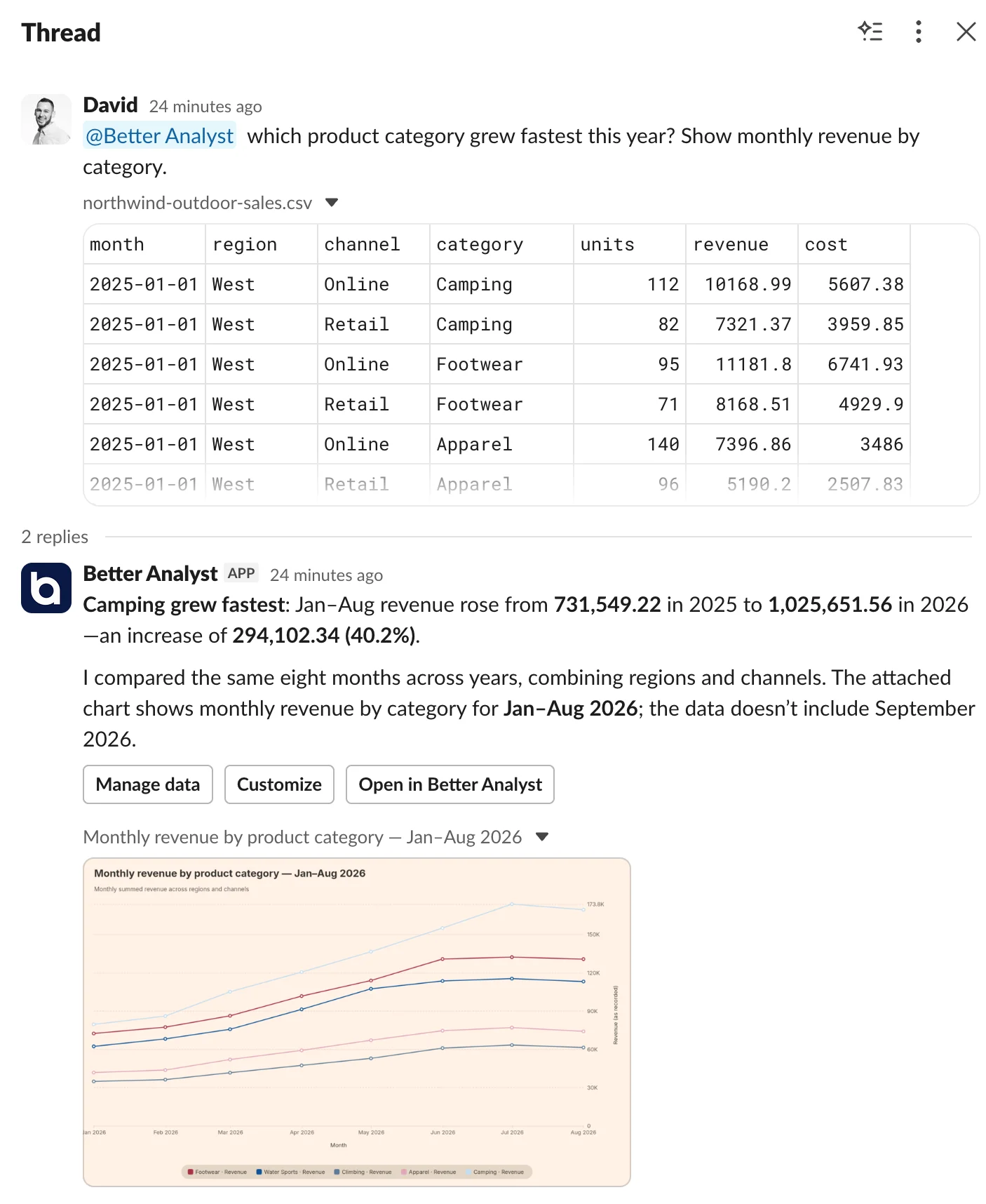
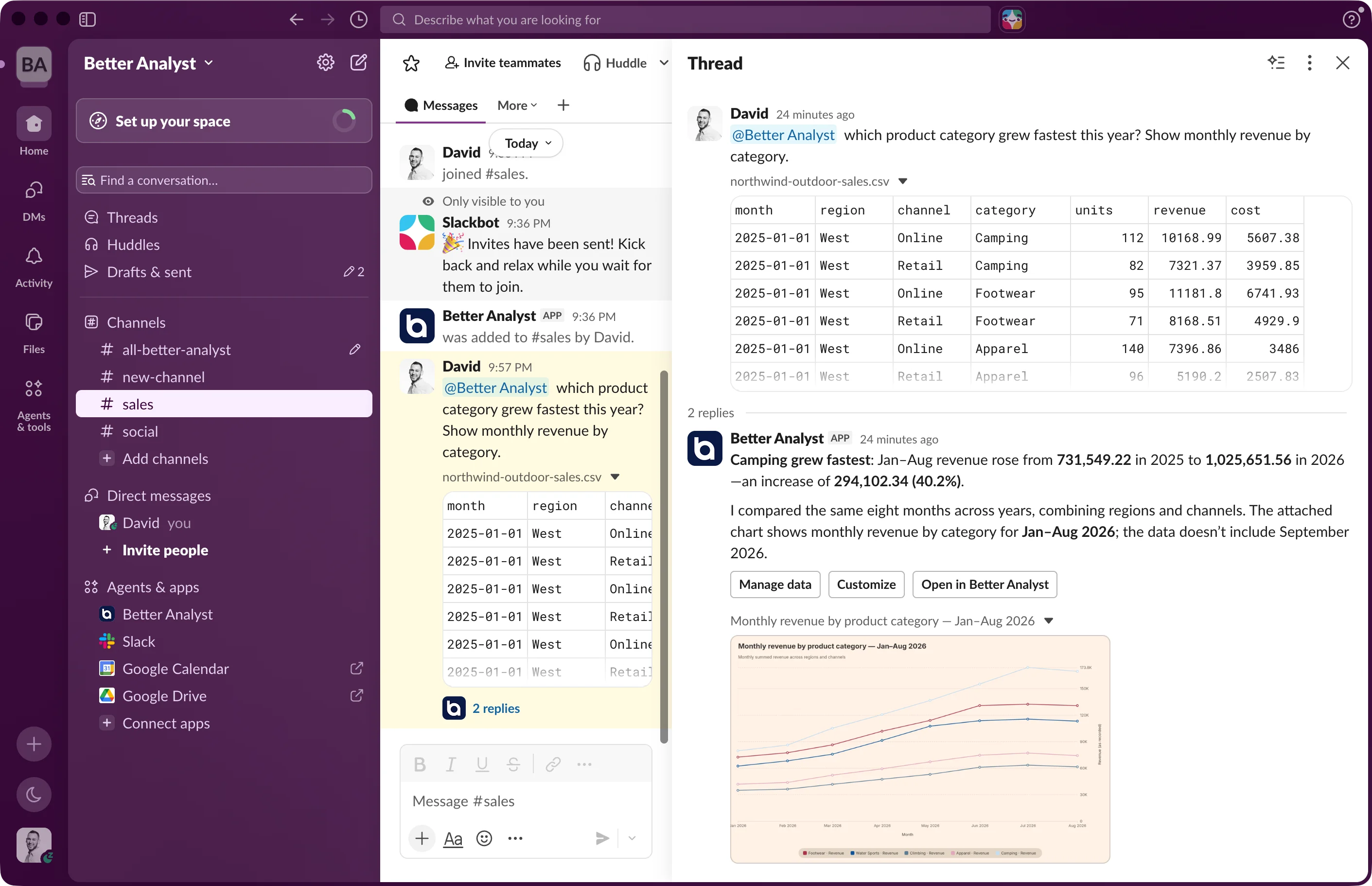
Mention @Better Analyst in a channel or send it a DM. The answer, charts, tables, and files land in the thread, where your team is already talking.
Included with the Max and Business plans.
How it works
From question to chart without leaving the channel.
Each person connects their Slack account the first time they ask. After that, a mention is all it takes.
- 01
Connect your workspace
A team admin adds Better Analyst to Slack and chooses which data sources Slack can use.
- 02
Ask where you already talk
Mention @Better Analyst in a channel or send it a DM. Attach a CSV or spreadsheet if the data isn’t connected yet.
- 03
Get the answer in the thread
The answer, charts, tables, and files land in the thread. Reply there to keep the analysis going.
Scheduled reports
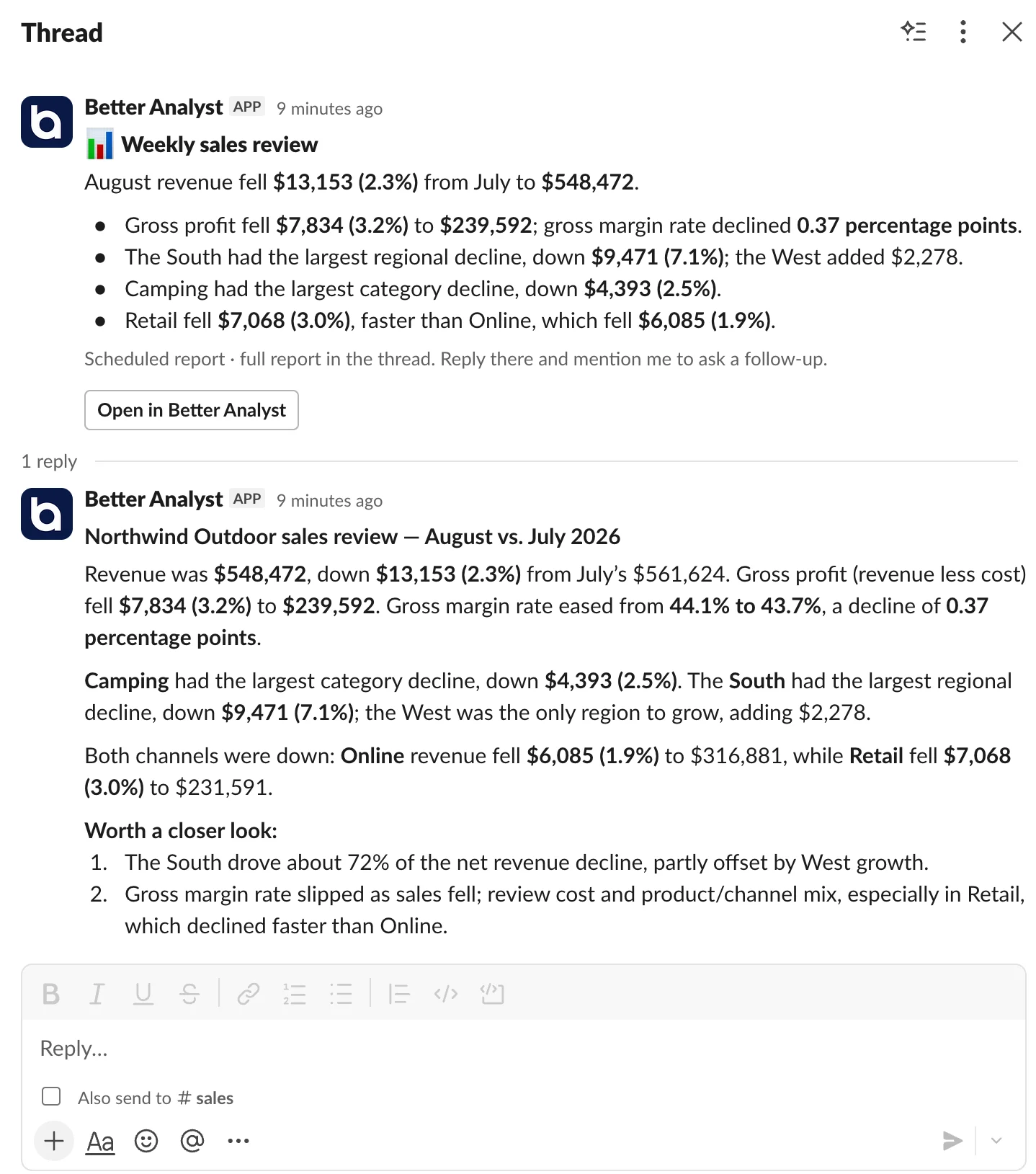
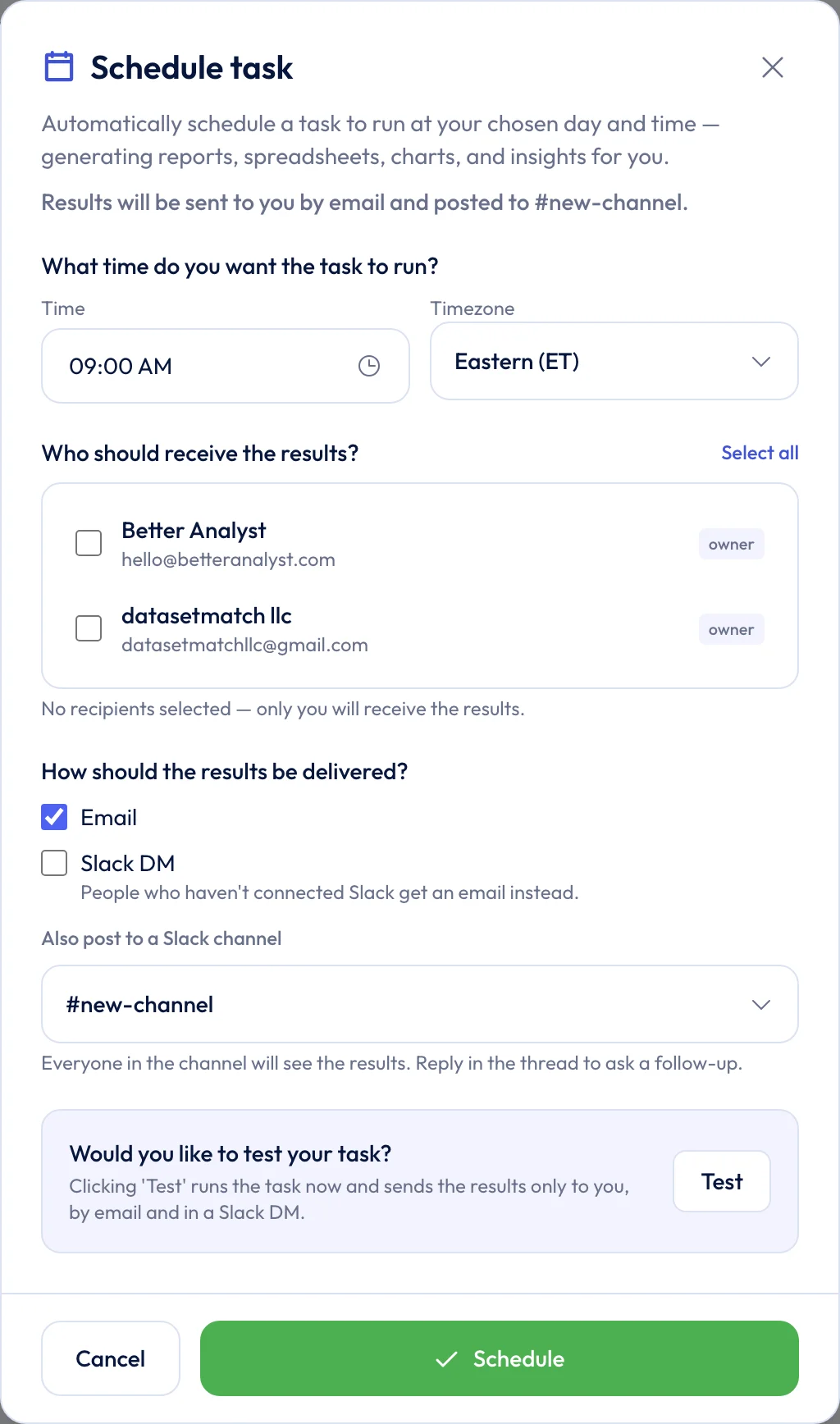
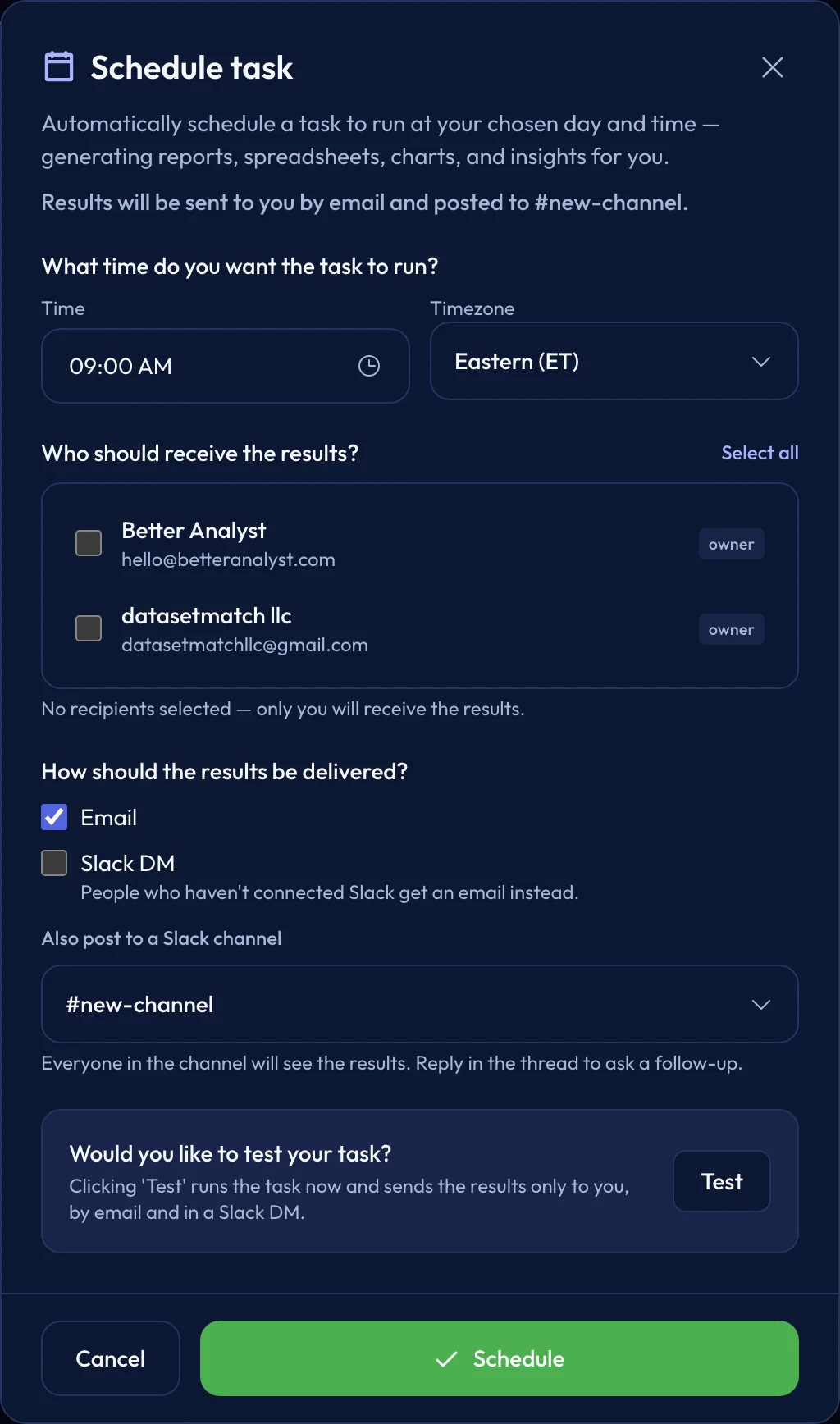
Send recurring reports to a channel or DMs.
Scheduled tasks deliver by email, Slack DM, a Slack channel, or any combination. Long reports post a short summary to the channel with the full report in the thread, so the channel stays readable.
- Pick the teammates who get the report and how each run is delivered.
- People who haven’t connected Slack get the report by email instead.
- Reply in the thread to ask a follow-up about that week’s numbers.
Data and agents
Change the data behind a thread from Slack.
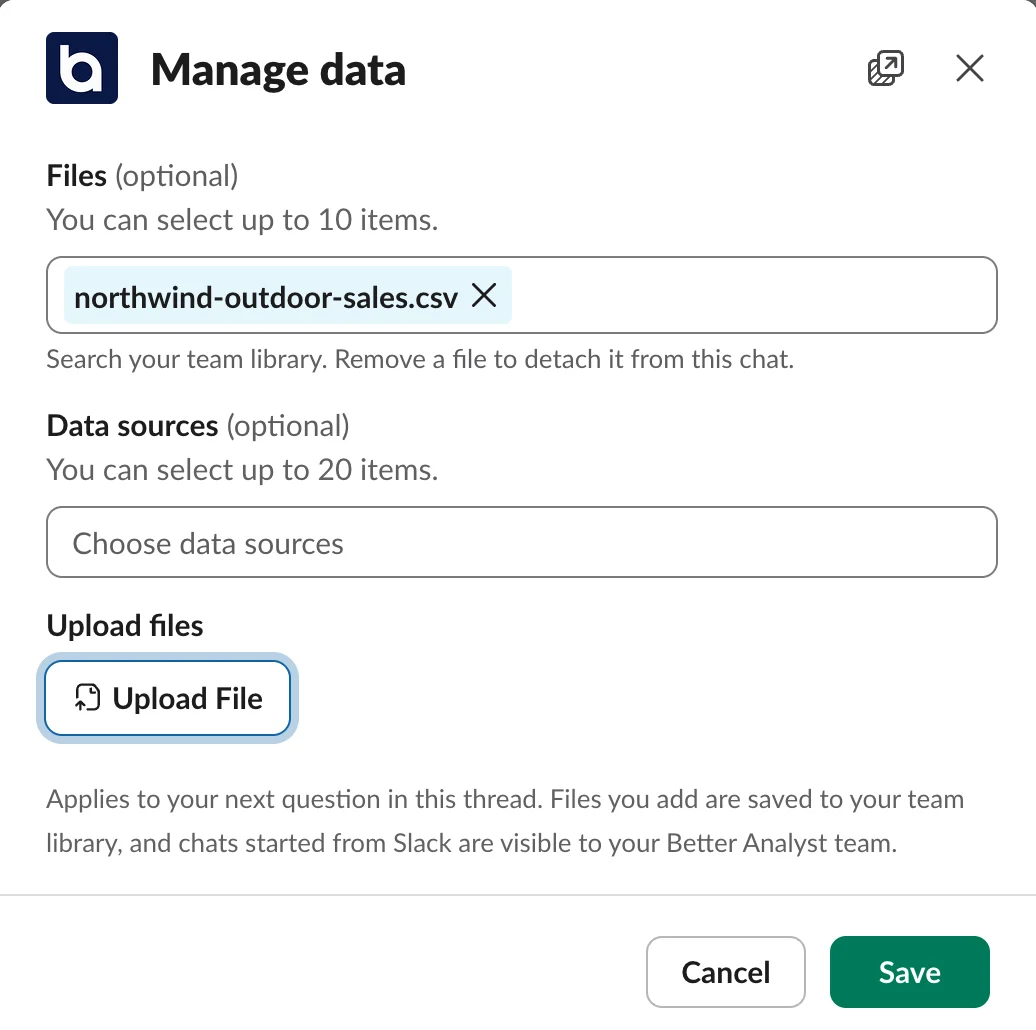
Every answer has Manage data and Customize buttons. Add files and data sources, or switch the agents and brand kit a thread uses, without opening another tab.
- Files you add are saved to your team library.
- Pick from the data sources your admin enabled for Slack.
- Open the full chat in Better Analyst whenever you need more room.
Admin controls
Your data stays under your team’s control.
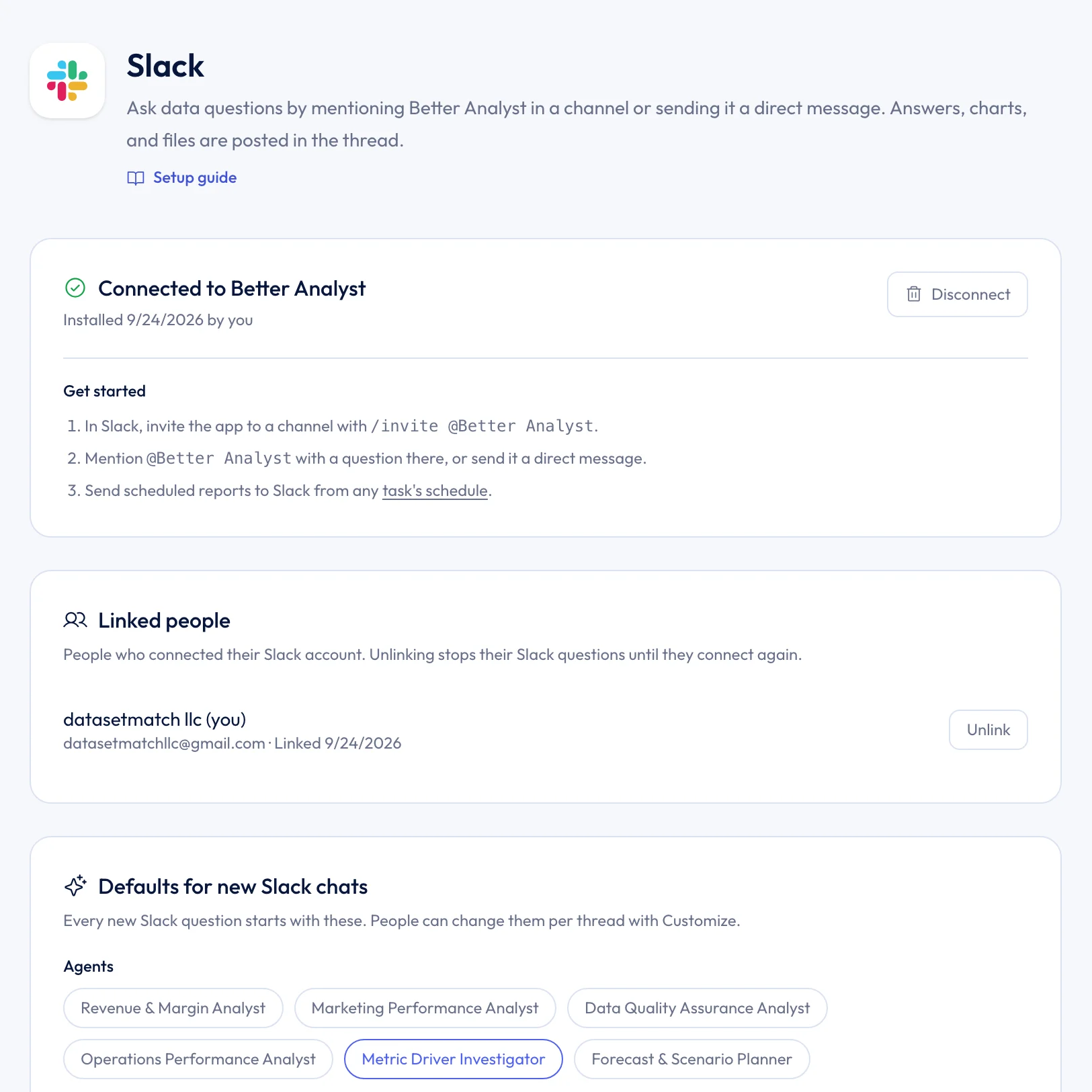
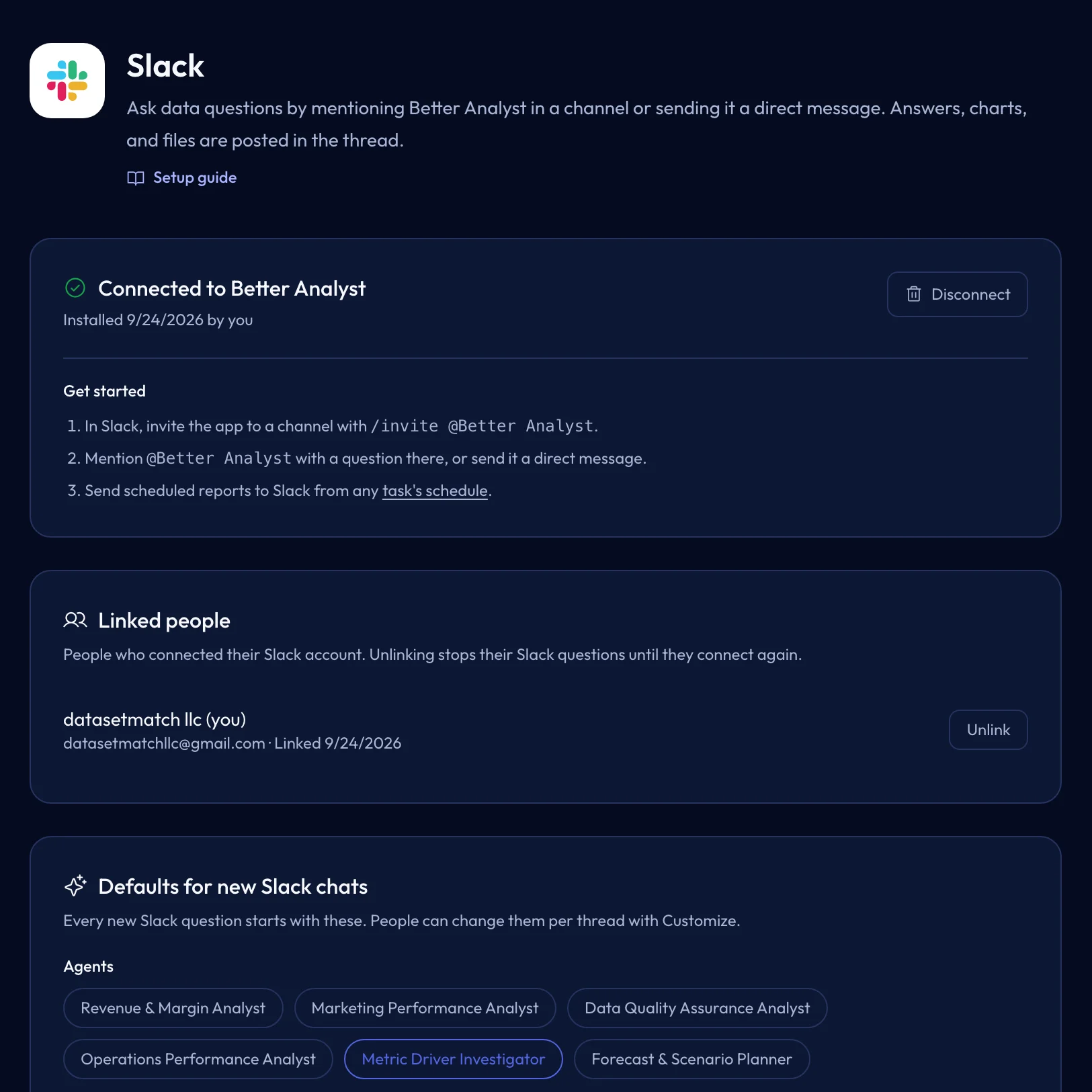
Admins decide which data sources Slack can use and which agents new Slack chats start with. Better Analyst reads only the messages that mention it and the DMs sent to it.
- Only a Slack workspace admin who also administers your Better Analyst team can connect it.
- Every question runs with the asking person’s own Better Analyst access.
- Chats started from Slack stay in your team workspace and can’t be shared publicly.
Slack runs Better Analyst in Ask mode. Dashboards, Data Flows, and enrichment are built in the web app.
FAQ
Better Analyst for Slack questions
Plans, privacy, and what the Slack app can do.
Compare your options
Decide with evidence, not a sales pitch.
Open a neutral research prompt in the AI tool you already use. Compare capabilities, limitations, and fit before you choose.
AI answers can be incomplete. Check source links, current pricing, and product documentation before deciding.
Better Analyst for Slack
Bring your data analyst into Slack.
Connect your workspace once, and everyone on your team can ask questions and get reports in Slack.
Included with the Max and Business plans.